

.webp)
.webp)
.webp)
Description
Download Clapper APK – Free Video Social Media App, Short-Form Videos, Clapback Feature, Political Content, Group Chats, Radio Show
Overview
Clapper is a free mobile social media application designed for users aged 18 and above who wish to share short-form video content globally. Developed by Clapper Media Inc., the app functions as a multimedia platform where individuals can record, upload, and engage with videos on a wide range of topics, with a notable emphasis on political expression. Unlike many mainstream social platforms, Clapper operates with fewer content restrictions, positioning itself as an open forum for authentic, unfiltered opinions. The app supports video uploads up to three minutes in length, enabling users to convey meaningful messages within a concise format. A key differentiator is the “clapback” feature, which allows users to directly respond to a video with their own recording—fostering real-time dialogue and debate. Clapper also promotes local relevance through its algorithm, which recommends content based on geographic location rather than popularity. This approach helps users discover diverse perspectives from their immediate community. The platform supports live-streaming and includes monetization tools such as “Clapper Fam,” allowing creators to earn income from fan support. The app is available on both Android and iOS, making it accessible to a broad audience. While the app does not include advanced post-editing tools, its simplicity appeals to users seeking minimal friction in content creation. It is particularly suited for individuals who value free expression, political engagement, and community interaction in a less moderated environment.Key Features & Capabilities
- Short-Form Video Sharing: Users can record and upload videos up to three minutes long, ideal for concise, impactful messaging. This format supports rapid content consumption and distribution.
- Clapback Feature: A unique interactive tool that enables users to reply to any video with their own recorded response, promoting direct engagement and debate on shared topics.
- Local Interest Algorithm: Content recommendations are based on user location rather than trending popularity, increasing relevance and fostering local community interaction.
- Group Chats with Advanced Controls: Users can create up to 10 group chats, with options to set monthly entry fees (paid groups), share via link, delete messages for all members, mute chats, and freeze inactive group threads.
- Radio Feature: Hosts live audio sessions with up to 2,000 listeners, including a weekly show called Clapper Talks, which features creator interviews and discussions.
- Referral Commission System: Creators earn a commission when a referred user begins earning through the platform, incentivizing community growth and user acquisition.
- Monetization via Clapper Fam: Creators can build fan communities and receive financial support directly from their audience.
User Interface, Workflow & Performance
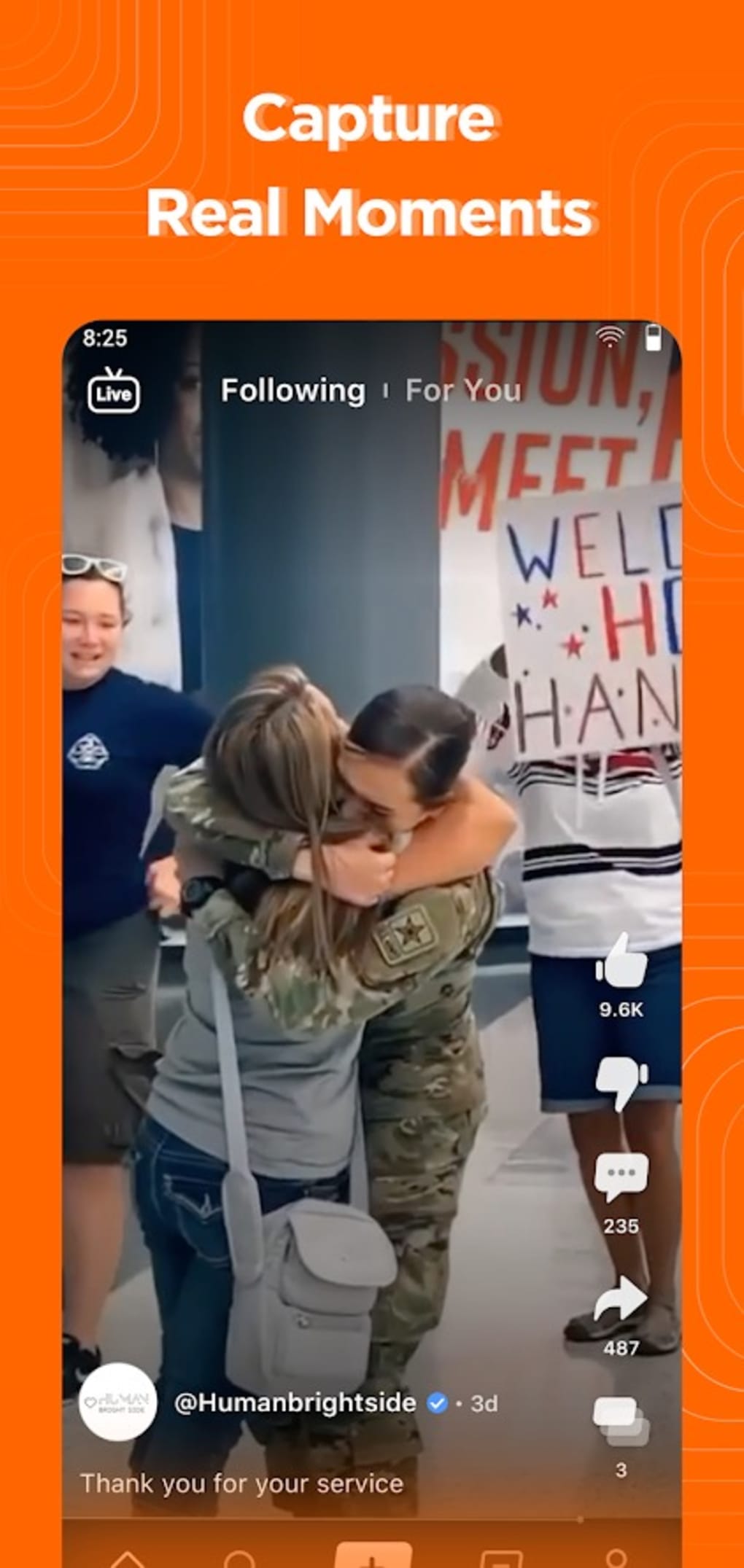
The user interface of Clapper is designed for simplicity and rapid access to core functions. Navigation is centered around a bottom tab bar, likely including sections for the home feed, clapback, group chats, radio, and profile. The home screen displays a continuous scroll of short-form videos, with each video accompanied by a clapback button and a comment or share option. The workflow prioritizes speed: recording a video, adding a caption, and publishing it can be completed in a few taps. The clapback feature integrates seamlessly into the video feed, allowing users to respond instantly to content they encounter. Group chats are accessible through a dedicated section, where users can manage memberships, send messages, and apply moderation tools. The radio feature likely includes a dedicated interface for hosting or joining live audio sessions. Performance details were not specified by the developer. However, based on general mobile app behavior, the app is expected to function smoothly on modern devices with stable internet connectivity. The developer did not specify resource usage details, such as CPU or RAM consumption. Stability is presumed to be adequate for core functions, but no user-reported issues or crash data were provided. The absence of advanced editing tools suggests a lightweight design, which may contribute to efficient performance on mid-tier devices.Compatibility & System Requirements
Clapper is available on both Android and iOS platforms, making it accessible to a wide range of mobile users. The app supports modern versions of these operating systems, though exact compatibility details were not listed. Installation size and hardware requirements were not specified by the developer. The developer did not provide additional system requirements beyond platform availability. Users should ensure their device meets the minimum standards for running current mobile applications. For optimal performance, a stable internet connection is recommended, especially for video uploads, live-streaming, and audio features. The app’s reliance on real-time interaction suggests that network speed and reliability may impact user experience. Compatibility information is limited to the operating systems mentioned, with no details on older or less common devices. Users should verify the app’s availability in their region through official app stores.Pros and Cons
Pros
- Free to download and use with optional paid features.
- Unique clapback functionality encourages direct video responses and debate.
- Strong focus on political and diverse content with minimal moderation.
- Local content recommendations based on user location.
- Advanced group chat features, including paid groups and message deletion.
- Live audio radio feature with up to 2,000 listeners.
- Creator monetization through Clapper Fam and referral commissions.
Cons
- No built-in video editing tools for post-production.
- Content may be heavily skewed toward political topics.
- App is restricted to users aged 18 and above.
- Exact system requirements and performance metrics not provided.
- Reliance on internet connectivity for core functionality.
- Monetization features may favor established creators.
FAQ Section
Is Clapper available for both Android and iOS?
Yes, Clapper is available on both Android and iOS platforms. Users can download the app from their respective app stores.
Is Clapper free to use?
Yes, the app is free to download and use. It offers optional paid features such as paid group chats and monetization tools for creators.
What age group is Clapper intended for?
Clapper is designed for users aged 18 and above. The platform encourages mature discussions and content creation.
Can I earn money on Clapper?
Yes, creators can earn through the Clapper Fam monetization feature and by receiving commissions when referred users start earning on the platform.
Does Clapper require an internet connection?
Yes, an active internet connection is required for uploading videos, live-streaming, participating in group chats, and accessing the radio feature.
Final Thoughts
Clapper stands out as a bold alternative in the crowded social media landscape, particularly for users seeking a platform that prioritizes free expression and direct engagement. Its unique clapback feature, local content algorithm, and live audio radio function create a dynamic environment for real-time dialogue and community building. While the lack of video editing tools may limit creative flexibility, the app’s strength lies in its authenticity and low barrier to entry. The inclusion of monetization pathways and group chat enhancements adds value for creators and community organizers. Although the platform leans heavily toward political content and is restricted to adults, it offers a compelling space for unfiltered voices. For users who value open discourse, local relevance, and interactive content, Clapper is a strong contender. The app’s combination of social interaction, live features, and creator support makes it a noteworthy option in the mobile video space. Download Clapper now.Guides & Tutorials for Clapper APK
How to install Clapper APK
- Click the Preview / Download button above.
- Once redirected, accept the terms and click Install.
- Wait for the Clapper APK download to finish on your device.
How to use Clapper APK
This software is primarily used for its core features described above. Open the app after installation to explore its capabilities.
User Reviews for Clapper APK 0
No reviews found





